




Skip to content
Agnes

Changelog

What’s new in Agnes

Every product update in plain words: what changed, what it gives you, and what to switch on.

Releases since April
660
Releases in the last 30 days
22
Latest release
v2026.46.3
Last shipped
14 Nov 2026

Highlights

Latest highlights

See all 10 highlightsShow fewer highlights

Every change, week by week

Latest update 9 Nov 2026RSS feed

Type of change

145 items shown

Week of 9 Nov 2026

  1. New25 updates

    Daily update

    Background tasks for agents and page links

    You can now have an agent run tasks in the background while you chat and see which pages link to your documents. Administrators can also enable Microsoft Teams integration and a central space for company knowledge.

    • Brain for company knowledgeCompany knowledge
    • Ask an agent to build an agentAgents that work for you
    • Background tasks for agentsAgents that work for you

Week of 2 Nov 2026

  1. New23 updates

    Daily update

    Workflow updates and interactive chat charts

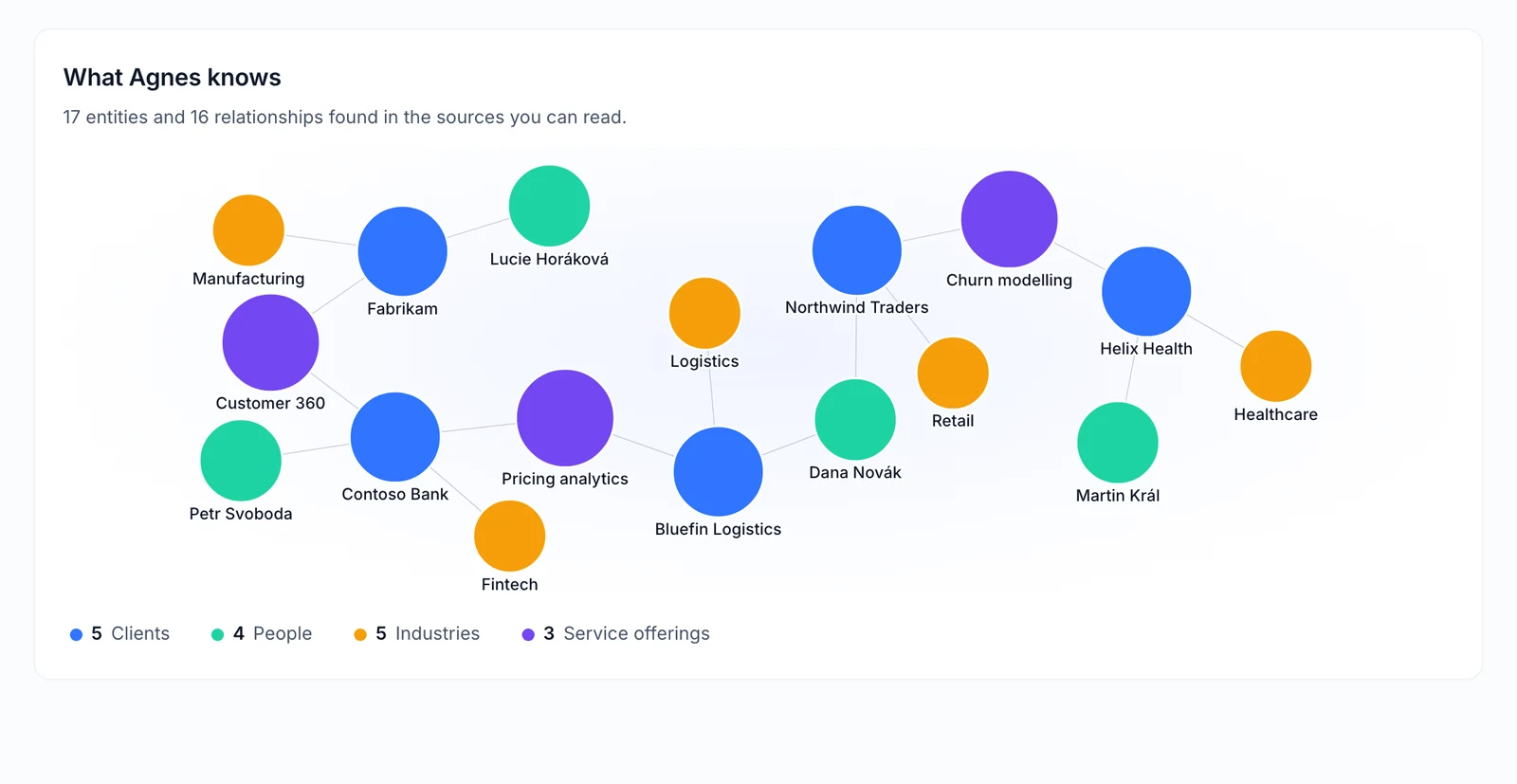
    You can now view interactive charts in chat and search your entire knowledge map. Administrators can also enable new ways to create and edit workflows, along with tools for the web editor assistant.

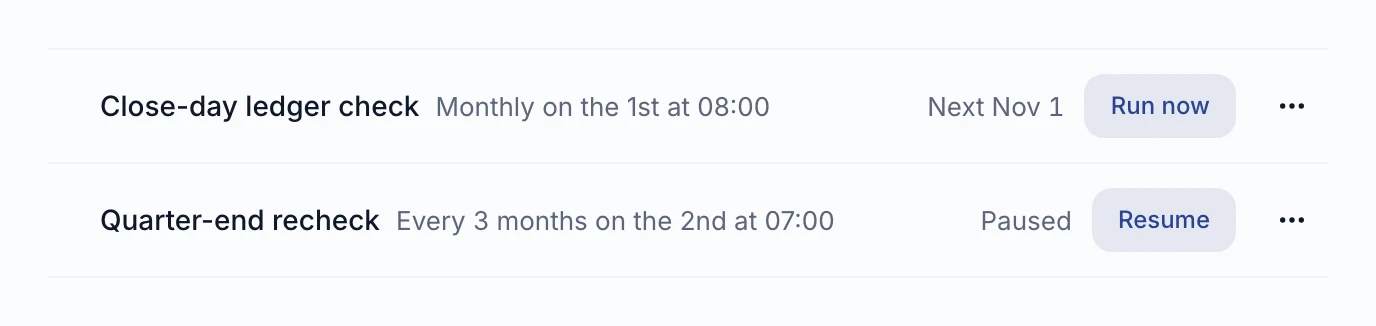
    • Manage agent schedules in chatAgents that work for you
    • Edit documents with the assistantPublish and collaborate
    • Approve workflow actions directlyAgents that work for you

    19 new · 4 changed

    Read the full update

Week of 26 Oct 2026

  1. New18 updates

    Daily update

    Chat in the document editor and search past conversations

    You can now ask questions directly in the document editor, search your past conversations, and open a floating chat window over any page. Administrators can also turn on features like meeting briefs and interactive knowledge maps.

    • AI assistant in the document editorPublish and collaborate
    • Chat with Agnes in the editorPublish and collaborate
    • Agent access to your artifactsAgents that work for you

    16 new · 2 changed

    Read the full update

Week of 19 Oct 2026

  1. New1 update

    Daily update

    Exact match search in collections

    Searching a collection now reliably returns documents that contain the exact term you typed. Documents with exact matches will no longer be pushed down the list by results with similar meanings.

    • Better exact match search resultsCompany knowledge
  2. New23 updates

    Daily update

    Native iPhone app and automatic agent memory

    You can now talk to your agents on a dedicated iPhone app and receive push notifications. Agents set to automatic memory can save lessons right away, and the Mac app adds a built-in inbox.

    • Agents learn from correctionsAgents that work for you
    • Schedule agents from chatAgents that work for you
    • Agents can ask colleagues for helpAgents that work for you

Week of 12 Oct 2026

  1. New20 updates

    Daily update

    Metrics catalog and voice calls in active chats

    You can now browse a dedicated metrics catalog and connect voice calls directly to your open chats. Other updates include private memory for shared agents, automated memory maintenance, and action policies that restrict what your agents are allowed to do.

    • Verified numbers in ArtifactsMetrics and business definitions
    • Certified queriesMetrics and business definitions
    • Reindex folders from a linkCompany knowledge

    16 new · 4 changed

    Read the full update

Week of 5 Oct 2026

  1. NewNewExperimental

    Agents that can pay

    Share an agent's spending budget with people and groups#

    An agent's owner can let named people and groups spend from the owner's budget for that agent. The owner's allowance pays and counts everyone's purchases; spenders see a Paid from line and only their own purchases, never the balance. A person's own budget is always used first.

    Requires: Agent Wallet, which an admin turns on and funds (Postgres app-state).

  2. NewFixedAdmin turns on

    Agents that work for you

    Slack messages sent right after a restart are answered#

    A Slack message that arrived just after Agnes restarted could be routed to a conversation nobody was reading and stay unanswered without any notice. Agnes now releases those conversations when it shuts down, so the next message is answered.

    Requires: The Agnes Slack app installed by an admin.

  3. NewFixedAvailable

    Company knowledge

    Rejected or held documents stop answering searches#

    A collection file that was later rejected, sent for review or left waiting for image transcription kept answering searches and agents from its earlier text. That text is now removed from search as soon as the file's status changes.

  4. NewChangedAvailable

    Governance, privacy and cost

    An admin's chat agent no longer acts with admin rights#

    Commands and tools an agent runs in an admin's chat now carry no admin authority, so it cannot act on other people's data apps or reports on the admin's behalf. Admin lists stay readable from chat; administrative work belongs in the web admin pages or a terminal outside the chat.

    Requires: Web chat, which an admin turns on.

  5. NewNewAdmin turns on

    Agents that work for you

    Cancel an agent run from its page#

    A queued or running agent run has Cancel run on the Agents page, and can also be stopped from the command line. It reports whether the run stopped or a stop was only requested and is still being confirmed. Purchases are refused from the moment of the request, and it lists what the run already bought.

    Requires: Run cancellation, which an admin turns on; Postgres app-state. Only the person who started the run, the owner for runs under their own permissions, or an admin can stop it.

  6. NewNewExperimentalHighlight

    Agents that work for you

    Call an agent by voice, in the browser or by phone

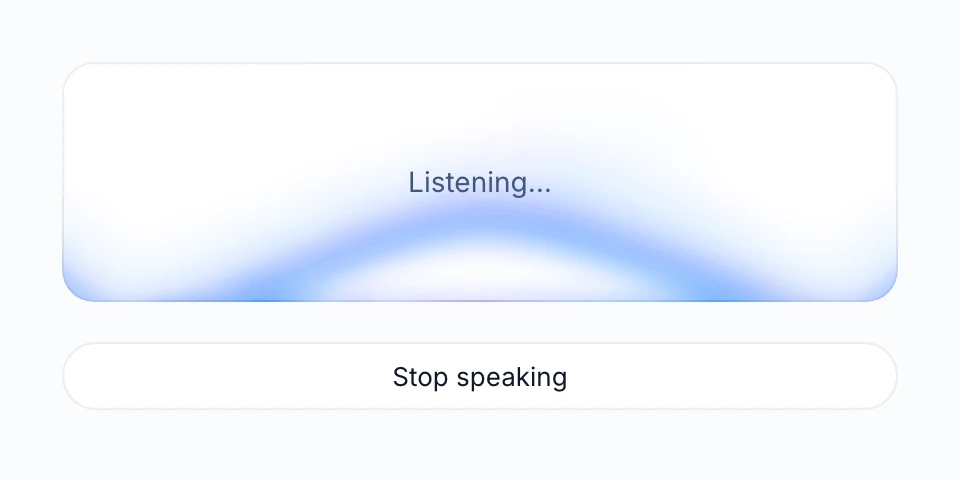
    Talk to an agent out loud with Call on its card or by dialling a number. It answers in Czech or English, says it is an AI, and the transcript lands privately in your chat list. One switchboard number reaches every agent by extension, and an owner can require a personal phone PIN.

    Requires: Agent calls, which an admin turns on, plus a voice provider key; Postgres app-state. The owner turns calls on for each agent. Phone calls also need telephony credentials and are accepted only from a number the caller verified in their profile. No data tools during a call yet.

    Read more →
  7. NewNewAdmin turns on

    Company data and access

    Read BigQuery data under each person's own Google account#

    An admin can set a BigQuery connection or table to passthrough, so reads run as the asking person and BigQuery's own permissions and masking apply. Chats that read such data become private; reads in shared conversations, someone else's shared agent or Slack channel threads are refused.

    Requires: Postgres app-state. People connect their Google account on My connections; operators register the sign-in callback and grant each person BigQuery job access on the billing project.

    Action needed: Analysts: agnes pull deletes local copies and snapshots of passthrough tables, and moves snapshots it cannot attribute to a quarantine folder. Move one back to keep it.

  8. NewChangedAdmin turns on

    Company knowledge

    Rebuilt company memory replaces the old one, but does not feed agents yet#

    Turning on the rebuilt company memory stops the old memory's collection and mining. The new store fills only through reviewed proposals: the automatic import from the old memory is gone, and imported items nobody revised were deleted. Nothing is delivered to agents from the new store yet.

    Requires: The rebuilt company memory, which an admin turns on; session analysis on; Postgres app-state.

    Action needed: Admins: before turning it on, plan for agents losing the old memory pipeline's new knowledge until the rebuilt store starts delivering. Turning it off resumes the old pipeline.

  9. NewFixedAvailable

    Company data and access

    Data shared with your group now opens correctly#

    Some data packages shared with a group looked available but never reached its members, whose queries failed with 'not in your stack'. Those shares now work, and new shares are available to members by default.

    Requires: Instances on Postgres app-state were affected.

  10. NewNewExperimental

    Agents that work for you

    Use an artifact as an agent's instructions#

    An agent's owner can have the agent follow the latest version of an artifact instead of typed instructions, in chat and in calls. The artifact's Editors are listed as the people who can change the agent's behaviour, and an artifact that becomes unreadable stops the agent instead of falling back.

    Requires: Agent calls and Artifacts, which an admin turns on; Postgres app-state. The owner and each caller must be able to read the artifact. Set up through the API or command line.

  11. NewFixedAvailable

    Company data and access

    Closed Jira tickets get their correct SLA result#

    Tickets closed shortly before Agnes fetched them kept a running resolution SLA forever. Agnes now revisits recently closed tickets until the completed SLA is stored, so SLA reports count them correctly.

    Requires: An admin connects Jira.

  12. NewNewAvailableHighlight

    Skills and plugins

    Connect business tools from a searchable catalog

    Admins pick a tool server such as GitHub, Slack, Linear or HubSpot from a catalog of about 75 (MCP servers), choose its tools and the groups that may use it. Once enabled for groups, people see it in My connections and its tools appear when they connect.

    Requires: Enabling a server for groups needs Postgres app-state.

    Read more →
  13. NewFixedAvailable

    Across Agnes

    Agnes works properly on a phone#

    On phones the chat no longer hides the answer behind the header or keyboard, wide tables scroll, tapping a field no longer zooms the page, and data package tables show as cards.

  14. NewChangedAvailable

    Across Agnes

    A reorganized sidebar with one search across everything#

    New chat, Search, Artifacts, Agents and Library sit at the top, followed by one Chats list, and Admin is a mode with its own sections. Search, or Ctrl+K, finds pages, conversations, artifacts, agents, tables, metrics and documents.

  15. NewNewAvailableHighlight

    Across Agnes

    A notification inbox that separates what needs you

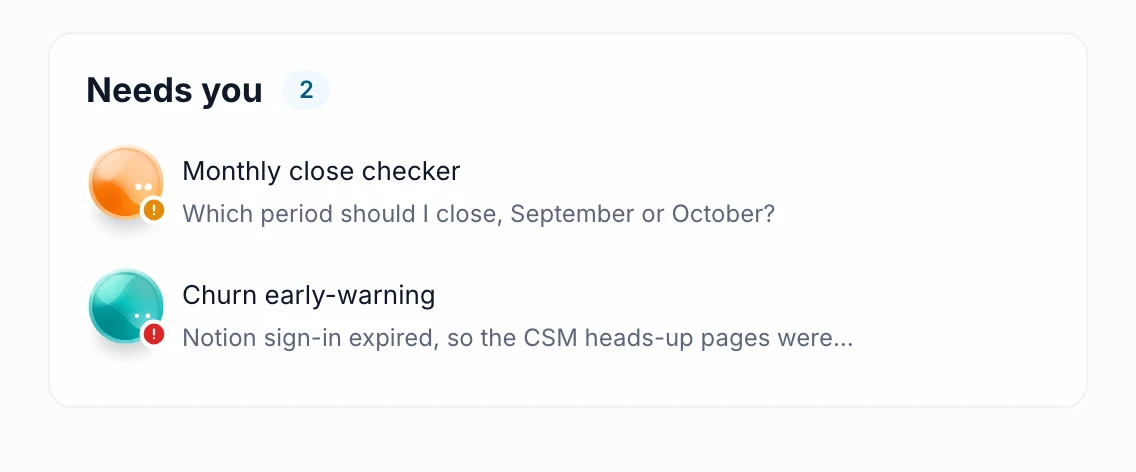
    Access requests, mentions, shares, answers to your watches, schedule failures, support replies and more now land in Notifications. Needs you lists what waits for your reaction, and the bell counts only that; admins also see waiting work there.

    Requires: Postgres app-state; on other instances Notifications is hidden.

    Read more →
  16. NewFixedAvailable

    Governance, privacy and cost

    Personal connections never fall back to a shared account#

    When a person's own credential for a per-user connection could not be read, the call used to go out under the shared service account. It now fails instead, so nobody acts with rights or an audit trail that are not their own.

  17. NewFixedAdmin turns on

    Governance, privacy and cost

    Chat tool cards mask sensitive header values; copied transcripts include tool results#

    Token, cookie, API key and signature header values no longer show in clear text in chat tool cards, approval cards or copied transcripts. This changes only what is displayed: stored content and what the agent sees are unchanged. Copy transcript now includes each tool step's result.

    Requires: Web chat, which an admin turns on.

  18. NewNewAdmin turns on

    Publish and collaborate

    Ask the owner for access to an artifact you cannot open#

    Someone who follows an artifact link without access can send the owner a short request. The owner is notified and approves or declines it from the artifact page, the CLI or an agent.

    Requires: Artifacts, which an admin turns on (Postgres app-state).

  19. NewImprovedAvailable

    Agents that work for you

    Get the files an agent run produced, also as a link#

    Files an agent run produced can be listed and downloaded through the API and desktop tools. Since 7 Oct this also works for quick answers, a large file comes as a signed, expiring link, and an answer or Slack reply lists only deliverables; the full file list stays available on request.

    Requires: Signed links need the instance's public URL to be set.

  20. NewNewAvailable

    Agents that work for you

    Share your own agent with your groups, with admin approval#

    Owners share an agent with their groups from the Agents page, and an admin approves each new group after seeing what it would get. The agent answers with the owner's access, limited to what they attached. Since 8 Oct recipients find it under Shared with you, and the owner picks whose sign-in each connection uses.

    Requires: Postgres app-state. For a connection where each person signs in, the default is the person's own sign-in; the owner can choose My account or Nobody else instead.

  21. NewNewExperimentalHighlight

    Agents that can pay

    Agents can pay for online services within a budget you set

    Give an agent a Spending Mandate, a task and a dollar budget, and it finds pay-per-call services in a catalog and pays from one company wallet in USDC, on a test network or with real money. Finance sets each person's allowance.

    Requires: Agent Wallet, which an admin turns on and funds (Postgres app-state).

    Read more →
  22. NewFixedAvailable

    Governance, privacy and cost

    Token and cost figures for Claude Code sessions are correct#

    Uploaded Claude Code sessions were counted up to about 1.8 times too high, inflating token and cost figures. Usage is now counted once per message.

  23. NewNewAdmin turns on

    Publish and collaborate

    Collect answers from readers through a form in an artifact#

    An Editor can let a document's own form send answers, turning a published page into a survey or feedback form. The reader confirms the exact text before it is sent, and each answer is saved as a comment the author can list and read.

    Requires: Artifacts, which an admin turns on (Postgres app-state).

  24. NewNewAdmin turns on

    Chat with Agnes

    Chat can remember things about you, with your approval#

    The chat can propose a note to remember. By default proposed notes wait for your approval: you save, edit or dismiss them, and saved notes carry into later conversations. An admin can let notes save automatically instead. Since 8 Oct a page lists everything Agnes remembers about you.

    Requires: Web chat on the built-in engine and chat memory, both of which an admin turns on; Postgres app-state.

  25. NewChangedAvailable

    Connect your own tools

    CLIs older than 1.0 must be reinstalled once#

    A CLI older than 1.0 could not upgrade itself. The server now refuses it with a message naming the one-line reinstall, after which upgrades are automatic again.

    Action needed: If agnes commands answer 'Upgrade Required', reinstall the CLI with the command in the message.

  26. NewNewAvailableHighlight

    Connect your own tools

    Use Agnes from Codex, alongside Claude Code

    agnes onboard --client codex sets Codex up with your skills, Agnes data tools and workspace instructions, and agnes push uploads Codex sessions next to Claude Code's.

    Requires: After setup, restart Codex and review the Agnes hooks once with /hooks.

    Read more →
  27. NewFixedAvailable

    Governance, privacy and cost

    Deleting a chat or an account now removes its transcripts#

    Permanently deleting a chat used to leave a full copy readable by admins, and purging an account left uploaded transcripts. Both are now deleted; cost totals stay without the person.

  28. NewChangedAdmin turns on

    Publish and collaborate

    New artifact versions keep their design system#

    Publishing a new version without naming a design system used to remove the artifact's styling. A new version now inherits the design system of the version it was based on.

    Requires: Artifacts, which an admin turns on (Postgres app-state).

    Action needed: To remove a design system, say so explicitly: --no-design-system in the CLI, or clear it in the API or tool call. Leaving it out no longer removes it.

  29. NewNewAdmin turns on

    Publish and collaborate

    Keep reports consistent with document types and writing styles#

    A gallery of document types, such as data reports, strategy briefs and runbooks, tells the assistant how a document is structured, with examples. Writing styles set the voice, a check flags long sentences and words to avoid, and teams can publish their own types and styles.

    Requires: Artifacts, which an admin turns on (Postgres app-state).

  30. NewNewExperimental

    Agents that can pay

    A finance workspace to oversee agent spending#

    The Wallet page gives finance an overview, purchases, reconciliation with the blockchain, allowances, mandates, merchants and notices, with CSV export and a freeze switch. A Finance Reader role can read and export without controls.

    Requires: Agent Wallet, which an admin turns on and funds (Postgres app-state).

  31. NewNewAdmin turns on

    Governance, privacy and cost

    Sign in with Okta and bring Okta groups into Agnes#

    An admin can connect Okta as a group source: each person's Okta groups are mirrored every 15 minutes as groups that can receive grants. Since 8 October Okta is also a ready-made sign-in option in Server configuration.

    Requires: An admin connects Okta.

  32. NewNewAvailable

    Governance, privacy and cost

    Decide whether session transcripts are uploaded and how long they are kept#

    Every workspace has an explicit setting, shared by Claude Code and Codex, for whether session content is uploaded. Upload is on by default, also for older workspaces when they update. Automatic uploads now run at session end, and an admin can make transcripts expire.

    Requires: Transcripts are kept forever unless an admin sets a retention period. A manual agnes push still uploads at any time.

  33. NewChangedAvailable

    Across Agnes

    Agnes follows your computer's light or dark setting#

    The web app now uses your operating system's light or dark appearance until you pick a theme in the account menu. Before, it stayed light on a dark-mode computer unless you chose System yourself.

    Requires: An instance whose admin set a dark theme stays dark.

Week of 28 Sep 2026

  1. NewNewAvailable

    Agents that work for you

    Agents can hold their own credentials and work in GitHub repositories#

    An agent's owner can store a credential for a connected system or GitHub, so the agent calls it under its own account, not yours. Agents can clone and push allowed repositories; the token never enters the sandbox.

  2. NewNewAdmin turns onHighlight

    Publish and collaborate

    Publish documents as Artifacts with a stable link

    Turn a report or dashboard from chat, the Library, the CLI or an agent into a page at a stable link, with versions, comments, Reader, Commenter and Editor roles for groups or named people, watches and optional password-protected public links.

    Requires: Artifacts, which an admin turns on (Postgres app-state).

    Read more →
  3. NewNewAdmin turns on

    Publish and collaborate

    Ask Agnes about an artifact you are reading#

    Ask Agnes opens the chat with the document docked beside it; you can point at a passage or a chart and ask about it. Any chat can also attach an artifact you can read, and every write asks for approval.

    Requires: Artifacts and web chat, which an admin turns on; the Editor allows it per artifact.

  4. NewFixedAvailable

    Metrics and business definitions

    'This year' answers no longer count future dates; metric SQL runs#

    Questions about 'this year' or 'YTD' are bounded to today unless a metric or the question says otherwise, and the assumption is stated. Some imported Keboola metrics returned SQL that failed; it now runs.

  5. NewFixedAvailable

    Governance, privacy and cost

    Google group changes reach Agnes without signing in again#

    Group membership used to refresh only at Google sign-in, so removed people could keep access for up to 30 days. Now a person's activity triggers a background refresh once their groups are older than 15 minutes; the next request uses it, and a failed refresh keeps the old groups.

    Requires: Google sign-in and Postgres app-state.

  6. NewChangedAvailable

    Company data and access

    Keboola tables refresh when the data changes, chosen per table#

    Each Keboola table now has a Refresh choice: when the data changes, on a schedule, or manually. New tables default to refreshing only on change. The instance-wide skip-unchanged setting from 1.3 is gone.

    Action needed: Admins who used the instance-wide skip-unchanged setting switch those tables to 'When the data changes'.

  7. NewNewAdmin turns onHighlight

    Publish and collaborate

    Artifacts that show live numbers from your data

    A published page can run read-only queries against the catalog and refresh its charts. Choose the same data for everyone, or let each reader see only their own rows; the per-reader mode needs an approved author and passes a security check.

    Requires: Artifacts, which an admin turns on (Postgres app-state).

    Read more →
  8. NewNewAdmin turns on

    Publish and collaborate

    Present any artifact as slides#

    Readers can present an artifact full screen from the reader menu or a #present link; slides come from the author's slide marks, rules or headings. Authors can hide the option or open the link straight into the presentation.

    Requires: Artifacts, which an admin turns on (Postgres app-state).

  9. NewImprovedAvailable

    Agents that work for you

    See, edit and test all your agent schedules in one place#

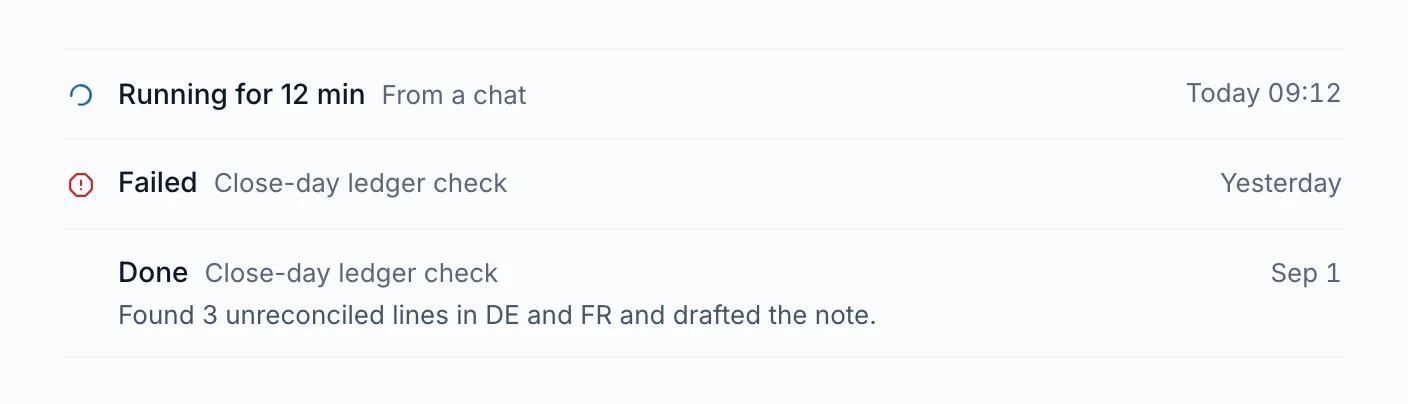
    A Schedules tab on Agents lists every schedule you own with its next run and last result. Edit a schedule, use Run now to test it, and get a badge and a notification when a run fails or needs you.

  10. NewChangedAvailable

    Governance, privacy and cost

    Personal access tokens now expire within a year#

    New personal and service-account tokens can no longer be created without an expiry or for longer than 365 days. Tokens already issued without an expiry keep working until revoked.

    Action needed: Owners of never-expiring tokens should rotate them.

  11. NewNewAvailable

    Agents that work for you

    Set limits and pre-approved tools for an agent's unattended runs#

    An agent's owner can cap turns, tool time and spend per run, which Agnes enforces before the next model call, and pre-approve specific tools for runs nobody watches. Admins set the ceilings, and every use is audited.

  12. NewNewAvailable

    Across Agnes

    A built-in user guide and What's new page, and Agnes answers 'how do I…?'#

    Every instance ships a searchable user guide at Documentation that matches its version, and a What's new page listing the changes in the build you run. The chat agent answers how-to questions from the guide.

  13. NewNewAdmin turns onHighlight

    Agents that work for you

    Start an agent from another system with a signed webhook

    An agent's owner creates a trigger and points a system such as GitHub or Linear at it. A signed delivery that matches the event filter starts one unattended run; duplicates and deliveries over the hourly limit do not. Since 8 Oct a trigger can also require conditions on the delivery's content.

    Requires: Inbound agent triggers, which an admin turns on; Postgres app-state and the instance's secrets vault.

    Read more →

Week of 21 Sep 2026

  1. NewImprovedAvailable

    Company data and access

    Keboola tables sync only when they changed, so data is fresher#

    Scheduled syncs skip tables that did not change upstream, so a short schedule costs a quick check instead of a download and tables are fresh soon after they load. The sync page shows refreshed, unchanged and failed counts. Live Keboola tables on named connections now work.

  2. NewNewAvailable

    Chat with Agnes

    Read the agent's plan before you approve it#

    When an agent proposes a plan, the approval card shows the full plan with Approve plan and Deny, in web chat, Slack, the terminal and the agent API. A plan is never approved on its own.

Week of 14 Sep 2026

  1. NewNewAvailable

    Connect your own tools

    Browse and change your Library from the terminal and agents#

    agnes library lists, shows, adds, removes and uploads the same items the web Library shows, with the same access explanations. Agents get matching tools.

  2. NewImprovedAdmin turns on

    Company data and access

    Download the rows you are allowed to see#

    A table protected by a row or column policy is no longer silently skipped by agnes pull: it downloads the part you may see, within a size cap, and names the table when the cap is hit. Since 23 Sep snapshots of such tables expire after 4 hours by default.

    Requires: Row and column policies, which an admin turns on.

  3. NewNewAdmin turns on

    Chat with Agnes

    Continue and manage your conversations from the terminal#

    agnes chat can list your conversations, resume one with its recent messages, pin, rename, archive or delete it, download its files and print the full transcript. Approvals and questions are answered inline.

    Requires: Web chat, which an admin turns on.

  4. NewNewAvailable

    Governance, privacy and cost

    Admins can see and act on every agent on the instance#

    A new Agents page for admins lists every agent with its owner, reach, groups and live tokens, and flags agents whose owner has left. Admins can revoke an agent's tokens or delete it; an agent whose owner was deactivated stops answering.

  5. NewNewAvailable

    Agents that work for you

    Every agent run is recorded, and you see which ones need you#

    Each run, whether scheduled, called by a program or started by you, is kept with its outcome, tokens and cost. One list shows runs across your agents that failed or asked you something, and chat turns appear in the history too.

    Requires: Postgres app-state.

  6. NewImprovedAvailableHighlight

    Governance, privacy and cost

    See AI spending by person, agent and task

    Agnes records each AI call it makes, from chat to document processing, with its price where one is known. Admin dashboards show cost by task, agent, person and model. Since 18 Sep the owner of a conversation can see roughly what it cost.

    Requires: Postgres app-state. Calls without a known price are not included in the totals.

    Read more →
  7. NewNewAdmin turns on

    Chat with Agnes

    Rate a chat answer with thumbs up or down#

    Every finished answer has thumbs up and down with an optional comment. Admins read the feedback in one queue, and a rating feeds session analysis as the strongest signal of success.

    Requires: Web chat, which an admin turns on.

  8. NewNewAdmin turns on

    Data apps

    Data apps can collect submissions into their own tables#

    A form or survey app saves rows to its own tables, each stamped with who sent it. The owner and admins query them like any other table; wider sharing goes through data packages.

    Requires: Hosted data apps, which an admin turns on; Postgres app-state.

  9. NewFixedAdmin turns on

    Chat with Agnes

    Conversations no longer vanish, and shared links open#

    A conversation open in a second tab could disappear from your history for good; it no longer does. Invited colleagues can open shared conversations, messages are not shown twice, and a server restart no longer cuts off a running answer silently.

    Requires: Web chat, which an admin turns on.

  10. NewChangedAvailable

    Connect your own tools

    New workspaces no longer let every shell command run unasked#

    agnes init now allows only agnes commands and read-only tools without asking; other shell commands follow your own Claude Code permission mode. Existing workspaces are unchanged.

  11. NewNewAdmin turns on

    Governance, privacy and cost

    Export conversations for quality review, only under a recorded policy#

    Admins can pull complete conversations, with tool calls and feedback, or push them on a schedule to an evaluation system. Prompts and answers leave the instance only under a recorded content-export policy naming the legal basis and approver.

    Requires: Postgres app-state and a recorded content-export policy.

  12. NewImprovedAvailable

    Company knowledge

    Document search finds answers to real questions, also within one folder#

    Natural-language document search used to need every word in one passage and often returned nothing. It now ranks partial matches, is much faster, and can be narrowed to one folder.

  13. NewNewAdmin turns on

    Data apps

    List apps that run elsewhere in the Library#

    A BI report, dashboard or existing internal tool can be added as a linked app with a description, a link and the usual sharing. Agnes hosts nothing for it.

    Requires: Hosted data apps, which an admin turns on.

  14. NewFixedAdmin turns on

    Company knowledge

    Required company knowledge now applies in the web chat#

    Knowledge items marked required reached only laptop sessions, never the web chat. Both chat engines now load them, and a revoked item stops being delivered.

    Requires: Web chat, which an admin turns on.

  15. NewNewAdmin turns on

    Governance, privacy and cost

    Report a problem from any page and follow what happens to it#

    Report a problem from the menu: Agnes attaches the page, version, browser and recent errors, plus an optional screenshot. Follow replies and send files in My reports; reports can also flow to your own support desk and back.

    Requires: Issue reports, which an admin turns on (off by default since 1 October); Postgres app-state.

  16. NewFixedAvailable

    Skills and plugins

    Rejecting an update no longer deletes a skill people use#

    A rejected version, the review queue's Delete button or the nightly cleanup could remove a published skill with all its installs. Now only the rejected version is removed.

  17. NewNewAdmin turns on

    Governance, privacy and cost

    See what people ask Agnes for, and where it fails#

    Session analysis sorts conversations from web chat, Slack, Telegram, agents and analyst sessions by task, outcome and failure. The extracted summaries leave out personal data; the conversations behind them do not, and admins can open them. Since 23 Sep an option groups conversations into topics.

    Requires: Session analysis, which an admin turns on; one AI call per conversation; Postgres app-state. Topic grouping is a separate switch and needs the image with embedding models.

  18. NewNewAvailable

    Connect your own tools

    Set up Agnes in any coding agent with one short prompt#

    New users pick their agent (Claude Code, Codex, Cursor, Gemini CLI and others) and a folder, then paste a two-line prompt with a one-time setup code. The page notices when setup finishes. Chat-only apps get the connector instead.

  19. NewNewAdmin turns on

    Chat with Agnes

    See which conversations are running, waiting on you or finished#

    Each conversation in the list shows whether it is answering, waiting for your approval or answer, finished while you were away, or failed. Opt in to browser notifications to be told when one needs you or finishes.

    Requires: Web chat, which an admin turns on.

  20. NewNewAdmin turns on

    Data apps

    Data apps know who is looking and can show each viewer their own data#

    Apps receive the viewer's identity to personalize pages. An owner can switch an app to viewer mode, where each person sees at most what both they and the owner may see.

    Requires: Hosted data apps, which an admin turns on; viewer mode needs Postgres app-state.

  21. NewFixedAvailable

    Company data and access

    Snapshots work on Windows#

    agnes snapshot and the automatic snapshot fallback of agnes query failed on every Windows machine. They now run there too.

Week of 31 Aug 2026

  1. NewChangedAvailable

    Governance, privacy and cost

    Share with Everyone as a deliberate choice that means every account#

    Admins and owners can give something to Everyone: every account, including people in no group and anyone who joins later. Where Everyone used to mirror a directory group, that group keeps its members and access under its own name.

  2. NewFixedAvailable

    Company data and access

    Keboola tables sync completely and correctly again#

    Large tables exported in slices from projects on AWS or Azure download again, syncing one table no longer removes others, large exports keep their first row, and a mistyped filter no longer exports the whole table.

  3. NewImprovedAdmin turns on

    Governance, privacy and cost

    Row and column policies gain partial masks, group views, history and Snowflake#

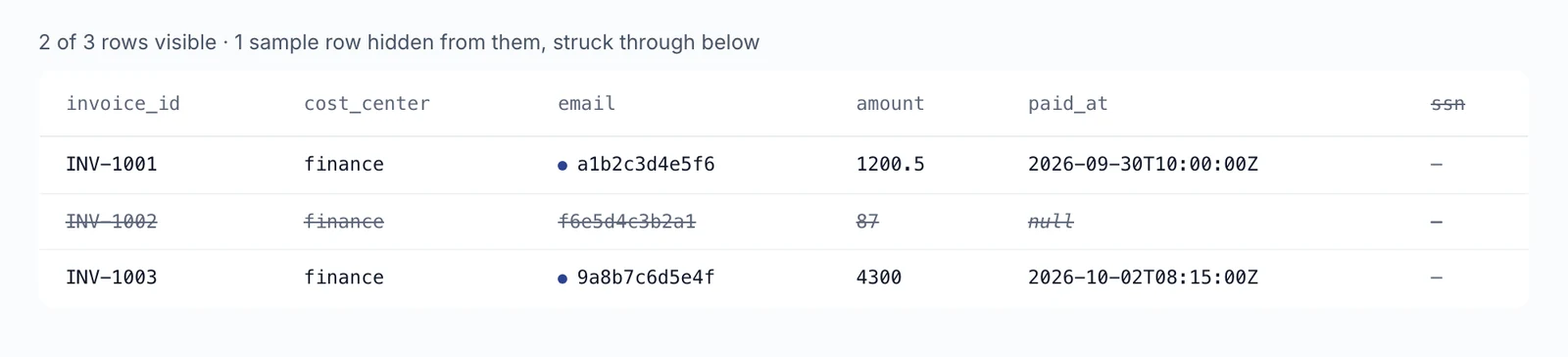
    Policies can show only part of a value or a keyed pseudonym and give each group its own view of a column. Admins preview rows per group and restore earlier versions, policies now run inside Snowflake too, and filtered results say so.

    Requires: Row and column policies, which an admin turns on.

  4. NewFixedAdmin turns on

    Governance, privacy and cost

    Row and column rules now hold in every path#

    We closed several gaps where a table's row and column rules could be avoided. The rules now apply consistently, including to data apps owned by an admin, which now see their owner's filtered view.

    Requires: Row and column policies, which an admin turns on.

    Action needed: Check data apps owned by an admin: they may now show fewer rows than before.

  5. NewNewAvailable

    Governance, privacy and cost

    Service accounts for automations#

    Admins create service accounts on the Users page: identities for scripts and integrations with their own groups and revocable tokens. They can never sign in interactively or become admins.

    Requires: Postgres app-state.

  6. NewImprovedAdmin turns on

    Governance, privacy and cost

    Anonymization catches more and can be previewed#

    Phone numbers, IBANs, Czech birth numbers and your own terms are now redacted, and an admin can paste a sample to see the result. An optional AI reader, also self-hosted, finds names; file names and folder paths are redacted too.

    Requires: SharePoint with anonymization, which an admin turns on.

  7. NewNewAdmin turns onHighlight

    Company knowledge

    Agnes extracts facts from your documents automatically

    Each newly added document is read once by an AI model and turned into facts with verbatim, checked quotes. Since 4 Sep extraction can also run while a SharePoint crawl is still going, on Google Vertex AI or as a cheaper batch.

    Requires: Both the document graph and automatic fact extraction, which an admin turns on separately; an AI provider key; Postgres app-state. It costs about one cent per typical document.

    Read more →
  8. NewChangedAvailable

    Connect your own tools

    AI tools must send their Agnes token in a header#

    A token in the web address of the MCP connection is refused by default, because addresses end up in logs and history. Personal tokens now work on both MCP connection types, and every snippet Agnes gives you already uses the header.

    Action needed: If a tool connects with ?token= in the address, switch it to an Authorization header, or ask an admin to re-enable the old way.

  9. NewNewAdmin turns on

    Company knowledge

    Scanned PDFs become searchable#

    PDFs without a text layer can be transcribed by the AI model, page by page and capped per document. Since 4 September it first triages a scan to avoid paying for documents nobody needs read in full.

    Requires: SharePoint and scan OCR, which an admin turns on; about $0.006 per page.

  10. NewChangedAdmin turns on

    Company knowledge

    Agnes reads SharePoint documents itself#

    Crawling, converting, anonymizing and indexing SharePoint documents now run inside Agnes with no external job, and the standard image can do it. Changes arrive through SharePoint notifications, and an admin can watch or stop a run.

    Requires: SharePoint, which an admin turns on.

    Action needed: Instances that used an external extraction job must remove its settings; they are no longer read.

  11. NewNewAvailable

    Governance, privacy and cost

    See Agnes the way one of your people sees it#

    From the Access page an admin opens View a page as them: the person's Library, catalog and empty states, read-only, with a banner and one-click exit. Nothing can be changed in this mode.

  12. NewNewAvailable

    Governance, privacy and cost

    See what your AI use costs#

    My activity shows the cost of your AI use per model and per session, next to the token counts. Admin usage dashboards show cost too, and you can measure what one chat conversation cost.

  13. NewNewAdmin turns on

    Chat with Agnes

    Paste screenshots and files straight into chat#

    Paste a screenshot or file with Cmd-V or Ctrl-V and it is attached, and files added mid-conversation reach the agent straight away. Since 16 Sep you can also drag a file onto the conversation, and PowerPoint decks and RTF documents are accepted.

    Requires: Web chat, which an admin turns on.

  14. NewImprovedAdmin turns on

    Chat with Agnes

    Preview chat files without downloading them#

    Files the chat produced open in a preview: decks as slides, Word documents as text, images and PDFs in the browser, and the start of text files. Spreadsheets preview since 2 Sep. Other formats still need a download.

    Requires: Web chat, which an admin turns on.

  15. NewFixedAdmin turns on

    Governance, privacy and cost

    Chat spending limits now apply to every chat#

    The daily spend and per-conversation limits never triggered on the default chat engine; they now do, and costs include cached context. Admins can raise the limits in server settings again.

    Requires: Web chat, which an admin turns on.

  16. NewNewAvailable

    Metrics and business definitions

    Definitions travel with your data, and queries are checked against them#

    agnes pull copies every definition model you can read into your workspace, so your own AI tools follow them, and a query that breaks a recorded rule comes back with a warning. Linking a model to a data package makes it readable to everyone with that package.

  17. NewNewAvailable

    Metrics and business definitions

    Flag an answer that looks wrong#

    Anyone can report that an answer looked wrong; the chat agent offers to do it when it cannot back up an answer. Admins work through the reports and record how each was resolved.

    Requires: Postgres app-state.

  18. NewImprovedAvailable

    Skills and plugins

    Edit a skill or agent template where you wrote it#

    A skill or agent template written in the builder can be reopened in the builder and changed, from the web, the command line or an agent. Before, fixing one sentence meant rebuilding and re-uploading a package.

  19. NewFixedAvailable

    Skills and plugins

    Share a Library item with one team#

    Granting a skill, plugin or agent template to a single group used to look successful while members still could not see or install it. That grant now works everywhere: in the listing, on the item page and at install.

  20. NewNewAdmin turns on

    Company knowledge

    SharePoint permissions can carry over into Agnes#

    Agnes mirrors who may read each SharePoint folder, so people find documents according to the synchronized permissions and the group mappings admins maintain. Since 1 Sep permission changes sync every 4 hours, and since 4 Sep site groups can be mapped to Agnes groups.

    Requires: SharePoint connected; an admin turns permission mirroring on.

Week of 24 Aug 2026

  1. NewChangedAvailable

    Governance, privacy and cost

    The Access page answers who gets what in one list#

    Access is now one list you can read by group, by item or by person, with search that also finds people, links that keep the view, and Revoke on every grant. Admins can add people while creating a group.

  2. NewImprovedAvailable

    Governance, privacy and cost

    One activity timeline, with offline queries and chats included#

    The Activity center now shows audit events, data syncs, model usage and agent changes in one timeline. Nearly every action is recorded, including queries run offline in the command line (table names and counts, never the query text). Admins also see web chat conversations and their token use in session review.

  3. NewImprovedAvailableHighlight

    Agents that work for you

    Build an agent by describing it

    The agent builder is a conversation: describe the job and it fills in role, instructions and data, and nothing is saved until you press Save. Since 23 Sep the builder first looks through your catalog and company knowledge before it proposes a setup.

    Read more →
  4. NewNewAdmin turns on

    Agents that work for you

    Try a draft agent in a live Preview chat#

    Preview in the agent builder is a real chat with the draft agent, so you can test it before saving or sharing it.

    Requires: Web chat, which an admin turns on.

  5. NewNewAvailable

    Agents that work for you

    An agent can hand one sub-task to another agent#

    During a conversation an agent can pass one request to another agent you are allowed to run, get the answer back and continue. The second agent works with your access, never its owner's.

  6. NewImprovedAdmin turns on

    Company knowledge

    Filter the Library by what documents are about#

    The Knowledge tab opens on the kinds of things the facts describe, with counts of what you can see, and lets you narrow documents by client, industry, service or document type. Fact search also accepts a name.

    Requires: Document facts, which an admin turns on.

  7. NewFixedAvailable

    Governance, privacy and cost

    Logout really signs you out#

    The Logout item used to only open the login page, so the next visit reopened Agnes signed in for up to 30 days. It now ends the session.

  8. NewNewAdmin turns onHighlight

    Company knowledge

    Bring SharePoint folders in as collections

    An admin connects SharePoint in Add data source, browses sites and folders and picks them; they become collections. Since 30 Aug the admin can also search folders and browse deeper, and mark a folder for anonymization: Agnes records the processing job's declaration but cannot verify it.

    Requires: An admin turns SharePoint on and registers an app in your Microsoft tenant. Until 2 Sep, documents were brought in by an external processing job.

    Read more →
  9. NewNewAdmin turns onHighlight

    Company knowledge

    Search document facts, each with the sentence it came from

    Facts about clients, people and engagements that a document-processing job delivers are stored with their source, a verbatim quote and a date. Search them on the collection page, from the command line or through agents; conflicting values appear side by side.

    Requires: The document graph, which an admin turns on; Postgres app-state. Until 2 Sep facts came only from an external producer.

    Read more →
  10. NewNewAdmin turns on

    Governance, privacy and cost

    Run Claude through your own Google Cloud#

    Chat and all server-side AI features can call Claude through Google Vertex AI with the server's Google credentials, so no Anthropic key is needed. Model limits, budgets and usage records keep working.

    Requires: A Google Cloud project with Claude enabled in Vertex AI.

  11. NewNewAvailableHighlight

    Agents that work for you

    Run an agent someone shared with you

    People an agent is shared with can now chat with it and call it, not only view it. The agent works with its owner's access, limited to what the owner attached, while row-level table policies filter rows for the person calling. Only the owner can change it.

    Requires: The owner's per-caller usage breakdown needs Postgres app-state.

    Read more →
  12. NewNewAdmin turns onHighlight

    Chat with Agnes

    Download the files the chat makes for you

    A Files button in the conversation header lists the Word documents, decks and spreadsheets the chat produced, with Download and Save to Library. Since 28 Aug each new file also appears as a chip under the answer that made it.

    Requires: Web chat, which an admin turns on.

    Read more →
  13. NewFixedAvailable

    Company data and access

    Damaged data files no longer reach your laptop#

    A truncated data file on the server used to be sent out and could overwrite your good local copy on the next pull. Agnes now refuses such a file, keeps your copy and shows the table as failing to admins.

  14. NewFixedAdmin turns on

    Skills and plugins

    Skills from your plugins work in the web chat#

    Picking a skill with / in the web chat used to answer "Unknown command" because plugins in your stack never reached the chat. They now arrive whole, including plugins kept at the root of a repository and helper programs that must stay executable.

    Requires: Web chat, which an admin turns on.

  15. NewNewAvailable

    Metrics and business definitions

    Propose a definition from a conversation#

    A definition agreed in conversation can be submitted to the semantic layer. An admin's submission is stored right away; anyone else's waits for an admin to approve it.

Week of 17 Aug 2026

  1. NewFixedAvailable

    Agents that work for you

    An agent now stays within the data you attach to it#

    An agent built on the Agents page could read everything its owner could, regardless of the data packages picked for it. It is now limited to what the page shows. Existing agents were converted automatically, which may narrow what some of them can reach.

  2. NewImprovedAvailable

    Company data and access

    See why you have data, and ask for what you lack#

    Opening data that exists but is not shared with you now says so and offers Copy request for your admin. From 31 August, items in your Library also show which of your groups gave you access.

  3. NewChangedAvailable

    Company data and access

    Catalog and Marketplace move into one Library#

    The separate Catalog and Marketplace pages were folded into the Library, one place for data, documents, skills and plugins; old links redirect. Since 30 August it has two tabs, Knowledge and Capabilities.

  4. NewNewAvailable

    Connect your own tools

    Set up your Claude Code workspace with one command#

    agnes onboard installs and checks an analyst workspace end to end: it refuses unsafe folders, pulls data, adds your plugins, runs diagnostics and lists the tool connections on offer. The setup prompt you paste into Claude Code shrank about six times.

  5. NewImprovedAvailable

    Skills and plugins

    Connect outside tools per group, including tools that change data#

    Admins can allow a connected tool that changes data for a specific group. Since 30 Aug they register a tool server in a guided builder that checks the connection first and show or hide it per group; since 31 Aug tools that change data arrive switched off.

  6. NewNewAdmin turns onHighlight

    Agents that work for you

    Let an agent answer in a Slack channel

    A Slack channel can be bound to an agent; mentions of the Agnes bot there are answered by that agent, running under its owner's identity, instructions, access and budget. Channel members authorized to use Agnes can continue the thread.

    Requires: The Agnes Slack app installed by an admin.

    Read more →
  7. NewNewAdmin turns onHighlight

    Chat with Agnes

    Chat with an agent you built

    A Chat button on each agent card opens a conversation that runs as that agent, with its role, instructions and data limits. From 20 August a picker under the chat box lets you choose the agent before you start, and the agent introduces itself.

    Requires: Web chat, which an admin turns on.

    Read more →
  8. NewNewAvailable

    Metrics and business definitions

    Browse your business definitions, on one Definitions page since 3 Sep#

    You can browse every semantic model you may read. Since 3 Sep this is the Definitions page, with tabs for models, metrics and glossary, one search across them and a shareable link for every view; a metric names the model that defines it.

  9. NewNewAvailableHighlight

    Agents that work for you

    Run an agent on a schedule

    An agent can hold up to 20 schedules: every few minutes or hours, daily at set times, or a cron expression. From 19 August the agent builder has a Schedules section with on/off switches, last run and an option to start from a skill.

    Read more →
  10. NewNewAvailableHighlight

    Company data and access

    Connect Snowflake as a data source

    An admin can connect a Snowflake account in Add data source and register its tables as live tables (queried in Snowflake) or as scheduled copies. Since 20 Aug the wizard also lets the admin browse the account's schemas and tables.

    Requires: An admin connects the Snowflake account and grants the tables through data packages.

    Read more →
  11. NewImprovedAdmin turns on

    Governance, privacy and cost

    Protect rows and columns without writing SQL#

    The table access policy editor has a Builder: choose per column to show, hide, blank, pseudonymize or reveal it to a group, add rules for who sees which rows, and compare before and after. From 20 August a policy also covers every other registration of the same source.

    Requires: Row and column policies, which an admin turns on.

  12. NewNewAvailable

    Metrics and business definitions

    Check a data query against your agreed business definitions#

    You or your agent can check a query against the business definitions from the command line, the API or the AI connector. A warning means the query breaks an agreed rule, for example joins tables the wrong way, or uses a metric that cannot run where you plan to run it.

    Requires: A semantic model that records such rules.

  13. NewNewAdmin turns on

    Governance, privacy and cost

    Sign in with a Microsoft work account, with Entra groups#

    People can sign in with a Microsoft Entra ID work account of one organization; personal Microsoft accounts are refused. Since 30 August their Entra groups can also become Agnes groups at each sign-in.

    Requires: Your operator registers Agnes in your Microsoft tenant; group sync is turned on separately.

Week of 10 Aug 2026

  1. NewNewAvailableHighlight

    Company data and access

    Bring Databricks data into Agnes, copied or queried live

    An admin connects a Databricks SQL warehouse and registers tables or SQL, refreshed on a schedule or, since 17 August, queried live in the warehouse. Unity Catalog metric views arrive as business metrics.

    Requires: An admin connects a Databricks SQL warehouse.

    Read more →
  2. NewNewAvailable

    Metrics and business definitions

    Bring business definitions from git or an upload, later also Snowflake and Databricks#

    Metrics, glossary and dataset descriptions are kept in an open format that admins load from a git repository or an upload and can export again. Snowflake semantic views followed on 19 Aug, Databricks metric views on 28 Aug, and a 6-hourly refresh of every source on 1 Sep.

  3. NewChangedAvailableHighlight

    Across Agnes

    Agnes has one new layout: a left rail with Chat, Library and Agents

    Every instance now uses the redesigned look. The left rail leads to New chat, Library and Agents; Chats lists, searches, pins and renames your conversations; the Library holds everything you can use. Old pages such as the dashboard and My Stack redirect, so bookmarks keep working.

    Read more →
  4. NewNewAdmin turns on

    Governance, privacy and cost

    Sign in with Keboola, and choose which sign-in methods an instance offers#

    People can sign in with their Keboola account and are set up on first login. Optionally, every Keboola project they can reach is connected automatically with matching groups. Admins can also limit which sign-in methods the login page offers.

  5. NewChangedAvailable

    Company data and access

    Data shared with your groups is ready to use without subscribing#

    A data package or memory domain granted to one of your groups is now part of your stack immediately. Subscribing only decides whether the command line keeps a local copy. Admins can keep the old subscribe model with one setting.

    Action needed: Admins: analysts' next pull may download packages nobody subscribed to, so plan for disk space, or set features.stack_auto_membership to false before upgrading.

  6. NewNewAdmin turns onHighlight

    Governance, privacy and cost

    Show each person only their rows and columns of a table

    An admin can attach one SQL rule to a table kept on the server, filtering rows and masking columns by who is asking. It applies to queries, previews, snapshots, schema and connected AI tools, and every filtered answer says it was filtered.

    Requires: Row and column policies, which an admin turns on.

    Read more →
  7. NewImprovedAvailable

    Company data and access

    Admins add and share data in one guided flow, and see who actually has it#

    Add data walks through connect, choose tables, bundle into a package and share. Each data package has its own page with tables and sharing, plus how many people have the data on their machine, and the admin overview flags tables in no package and packages shared with nobody.

  8. NewImprovedAvailable

    Company data and access

    Jira data keeps long comment threads and no longer drops a month#

    Tickets with more than 100 comments keep all of them, and tickets join organizations by id. Since 17 Aug a month that fails to load no longer deletes its stored history; since 18 Aug comments show whether they were public or internal, and since 19 Aug the oldest comments are fetched correctly.

    Requires: An admin connects Jira.

  9. NewNewAvailable

    Governance, privacy and cost

    Admins can see exactly what one person can reach, and why#

    Simulate a person on the Access page walks from a person's groups to each grant and names the data packages they cannot use, with a link to share a missing one. Since 20 Aug it also shows what their Library contains.

  10. NewNewAdmin turns on

    Chat with Agnes

    Every chat answer lists its sources, checked against what it ran#

    Answers end with the tables, metrics, documents and terms they relied on, and Agnes marks any it never actually queried as unverified. Since September each source is a link that opens beside the chat.

    Requires: Web chat, which an admin turns on.

  11. NewNewAdmin turns onHighlight

    Data apps

    Build and deploy a data app from a chat conversation

    The chat agent can now create a hosted app, write its code and deploy it from a conversation, and the app reads company data as intended. Since 14 Aug the app also appears in your Library.

    Requires: Hosted data apps and web chat, which an admin turns on.

    Read more →
  12. NewNewAdmin turns on

    Company data and access

    Let the chat agent use a connected Keboola project's own tools#

    With one switch on a connected Keboola project, the chat agent gets that project's native tools, such as SQL and table search, and an admin can grant or revoke the whole tool set for a group in one step. Tool calls also respond much faster.

    Requires: Web chat and a connected Keboola project, both turned on by an admin.

  13. NewFixedAvailable

    Governance, privacy and cost

    Stronger enforcement of table access rules#

    Tables marked to stay on the server can no longer be downloaded whole, and queries can no longer reach tables the person was never granted. Both are now refused on the server.

  14. NewNewAdmin turns on

    Chat with Agnes

    Get charts and diagrams back in chat#

    Ask for a metric over time and the answer shows a chart. Since 12 Aug, questions about structure, such as how tables relate, get a diagram, and since 4 Sep a diagram can be enlarged, copied or saved.

    Requires: Web chat, which an admin turns on.

Week of 3 Aug 2026

  1. NewNewAvailable

    Connect your own tools

    Use Agnes skills and data in every repository, not just one workspace#

    agnes global enable installs your stack's plugins, the Agnes tool server and its data rules for Claude Code at user level, so they work in any repository, and keeps them up to date. agnes global disable removes them.

  2. NewNewAvailable

    Skills and plugins

    Build a skill, plugin or shareable agent in one builder and keep it private#

    The builder starts by asking what you are making, lets you write the text or upload a Markdown file, and saves straight to your Library as Private or for everyone. A private item can still go into your own stack, and unfinished drafts show up in the Library.

  3. NewNewAvailable

    Skills and plugins

    See who stands behind every skill, plugin and agent#

    Cards and detail pages name who published each skill, plugin or agent: a colleague, or your organization with an Organization mark. Unchecked contributions carry a Community mark, and an admin can turn on verification that adds a Verified check.

  4. NewNewAvailable

    Company knowledge

    Share files and collections you uploaded with your groups#

    Owners can now share what they uploaded with groups they belong to or with everyone, and make it private again, without asking an admin. The sharing badge in the Library is the control.

  5. NewImprovedAvailable

    Company knowledge

    Files you upload are kept, previewable and, for spreadsheets, queryable#

    Documents and images you drop into chat are saved to your Library and searchable. Common formats open in a preview, dropping one file onto another makes a new collection, and an uploaded spreadsheet becomes a table you and the people you share it with can query.

    Requires: Uploading through chat needs web chat, which an admin turns on.

  6. NewNewAdmin turns on

    Governance, privacy and cost

    Chat asks before running risky commands#

    Before the agent runs a risky command, the chat shows Allow once, Allow for session or Deny. Silence or Stop counts as Deny, and every decision is audited. Since 1 Sep connected tools that change data ask too, unless an admin pre-approved them.

    Requires: Web chat, which an admin turns on.

  7. NewNewAvailable

    Skills and plugins

    Connect your own account to a company tool with one button#

    For tool servers an admin set up with sign-in, My connections now shows Connect and Disconnect instead of asking you to paste a token. Agnes then uses your own account, so you see only what you may see there.

    Requires: An admin registers the tool server with sign-in.