


Across Agnes
See at a glance what is waiting on you
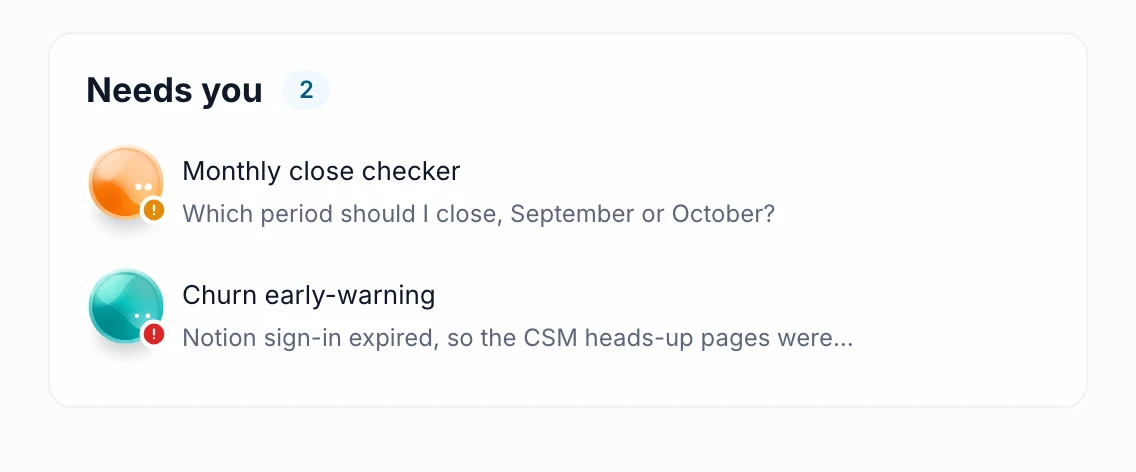
Requests, mentions, shares and alerts land in one inbox. A separate Needs you list shows only what waits for your reaction, and the bell counts only that.

- One place for updates
- Less noise
- Admin work included
What you get
One place for updates
Access requests, mentions, shares, answers to your watches, schedule failures and support replies all arrive in Notifications.
Less noise
The bell counts only items in Needs you, so a number means something is actually waiting for you.
Admin work included
Admins also see work waiting on them in the same inbox.
How it works
Agnes sends access requests, mentions, shares, watch answers, schedule failures and support replies to Notifications.
Items that need your reaction go to the Needs you list.
The bell shows how many of those are waiting.
Good to know
Built for
- Managers approving access requests
- Admins clearing waiting work
- Anyone who shares and comments often
Before you start
- Needs setup by your admin; where it is not set up, Notifications is hidden.
More in Across Agnes
- NewAcross Agnes
Agnes has one new layout: a left rail with Chat, Library and Agents
Every instance now uses the redesigned look. The left rail leads to New chat, Library and Agents; Chats lists, searches, pins and renames your conversations; the Library holds everything you can use. Old pages such as the dashboard and My Stack redirect, so bookmarks keep working.
Read more → - Automatic issue triageIncoming issue reports are now automatically assigned to the right responder based on your rubric descriptions. If the system is unsure about where a report belongs, it routes the report to the coordinators for manual review.
- Meeting and issue briefsClicking a meeting or issue on your Home dashboard opens a side panel with its details and agenda. You can also generate a short brief that pulls together related information from your calendar, tasks, and numbers.

See it live
See it on your own data
Book a short walkthrough and we will show you how this works with your own company data.