


Across Agnes
Find your chats, Library and agents in one simple layout
A left rail leads to New chat, Library and Agents. Your conversations are easy to search, pin and rename, and old bookmarks still work.

- Three clear places
- Conversations easy to find
- Bookmarks keep working
What you get
Three clear places
The left rail leads to New chat, Library and Agents, and the Library holds everything you can use.
Conversations easy to find
Chats lists your conversations and lets you search, pin and rename them.
Bookmarks keep working
Old pages such as the dashboard and My Stack redirect to their new places.
How it works
You open Agnes and see the left rail.
You start a new chat, open the Library or go to Agents.
You search, pin or rename past conversations in Chats.
Good to know
Built for
- Everyone who uses Agnes daily
- Admins onboarding new users
Before you start
- Every instance now uses this layout.
- Old pages redirect, so saved links keep working.
More in Across Agnes
 NewAcross Agnes
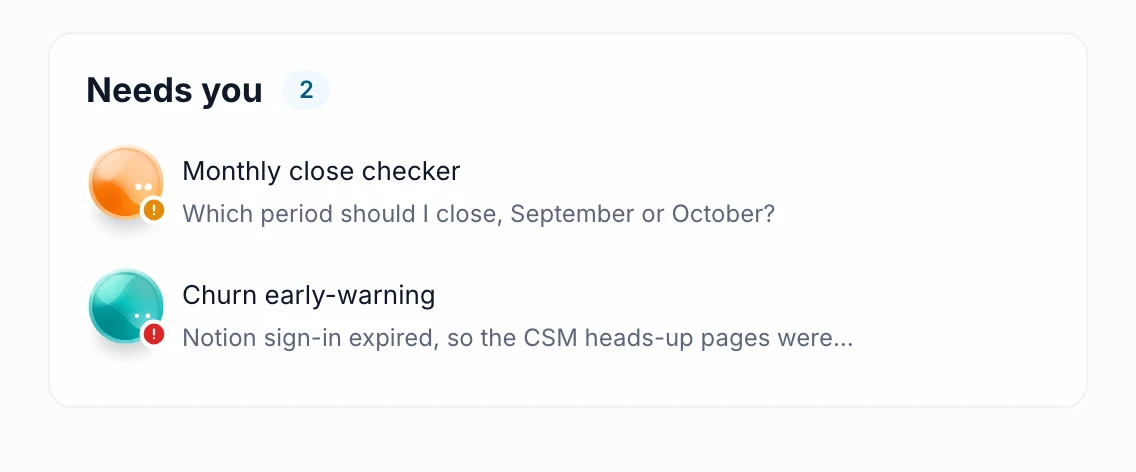
A notification inbox that separates what needs you
Access requests, mentions, shares, answers to your watches, schedule failures, support replies and more now land in Notifications. Needs you lists what waits for your reaction, and the bell counts only that; admins also see waiting work there.
Read more →- Automatic issue triageIncoming issue reports are now automatically assigned to the right responder based on your rubric descriptions. If the system is unsure about where a report belongs, it routes the report to the coordinators for manual review.
- Meeting and issue briefsClicking a meeting or issue on your Home dashboard opens a side panel with its details and agenda. You can also generate a short brief that pulls together related information from your calendar, tasks, and numbers.
See it live
See it on your own data
Book a short walkthrough and we will show you how this works with your own company data.